Escrito por: Equipe Editorial da Dorascribe
Revisado clinicamente por: Chinedu Nwangwu, MD (Fundador, Dorascribe)
Publicado em: 22 de abril de 2026
Última actualização: 23 de abril de 2026
Revisado em: 23 de abril de 2026
Por que você pode confiar nisso: Revisado clinicamente quanto à precisão clínica, realismo do fluxo de trabalho de documentação e considerações de segurança do paciente.
Isenção de responsabilidade médica: Este conteúdo tem caráter meramente informativo e não substitui a consulta médica. Os profissionais de saúde devem seguir as normas locais, as políticas institucionais e seu próprio julgamento clínico.
Resumo rápido
Se a saída do seu assistente de IA ainda demorar muito para editar, o gargalo geralmente é o modelo.
Um modelo robusto de tipo de visita:
- mantém rascunhos previsível (revisão mais rápida)
- solicita captura obrigatória detalhes (menos retrabalho)
- ajuda a fechar notas mesmo dia (menos registros fora do horário comercial)
O Dorascribe oferece suporte a dois caminhos práticos:
- modificar um modelo padrão (Usar modelo base)
- Faça upload do seu próprio modelo de clínica (Criar personalizado)

Por que os modelos economizam tempo do que uma “transcrição melhorada”
Os médicos não perdem tempo por não saberem digitar. Eles perdem tempo porque as anotações precisam ser completas, consistentes e defensáveis.
Anotações genéricas de IA atrasam o processo porque não correspondem à sua estrutura. Um bom modelo resolve isso, fazendo com que o rascunho fique com a aparência desejada. o seu nota desde o início.
O que é um modelo de tipo de visita?
Um modelo de visita é uma estrutura enxuta projetada para um cenário específico, como:
- consulta de novo paciente
- acompanhamento
- cuidados crônicos
- visita de procedimento
- acompanhamento por telemedicina
Regra prática: Comece com os 2 a 3 tipos de visitas que predominam na sua semana.
Como criar modelos personalizados no Dorascribe
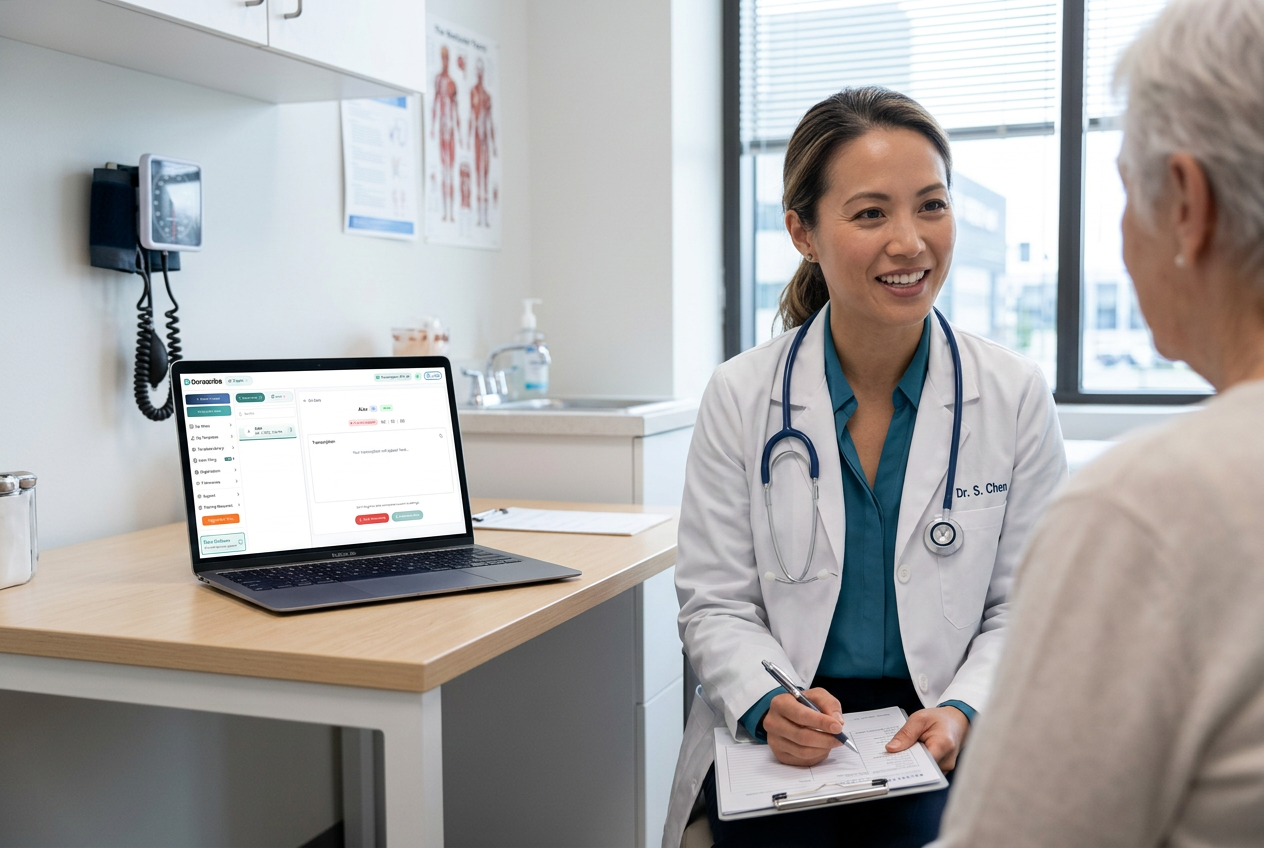
O Dorascribe foi projetado para documentação controlada pelo profissional de saúde: rascunho → editar → assinarOs modelos permitem que o rascunho se adapte à sua clínica.
Passo 1: Abra as notas personalizadas.
- Faça o login em app.dorascribe.ai.
- Acesse Notas personalizadas.
- Clique +Modelo personalizado.
Passo 2: Escolha como deseja criar o modelo.
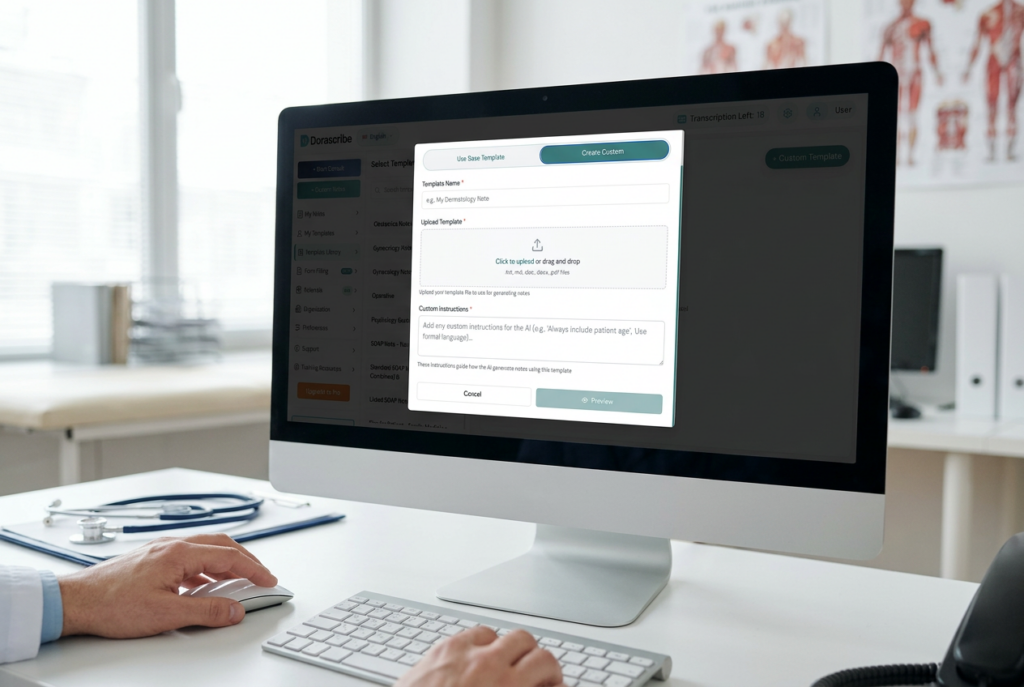
Opção A: Usar modelo base (modificar um modelo padrão)
Ideal para quem busca uma montagem rápida e uma estrutura inicial robusta.
- Selecionar Usar modelo base.
- Escolha um modelo.
- Adicione instruções personalizadas Indicar à IA como atualizá-lo (títulos, seções obrigatórias, sugestões de tipo de visita, fraseado preferido).
- Criar e salvar.
Opção B: Criar personalizado (importar seu próprio modelo)
O ideal é que você já tenha um modelo aprovado pela clínica.
- Selecionar Criar personalizado.
- Carregue seu arquivo.
- Adicionar opcionalmente instruções personalizadas (Mantenha a sua redação, adicione as seções que faltam, refine os lembretes de acompanhamento e padronize a documentação da medicação).
- Criar e salvar.
Tutorial (recomendado):
Criar um modelo de nota personalizado (importar arquivo existente)
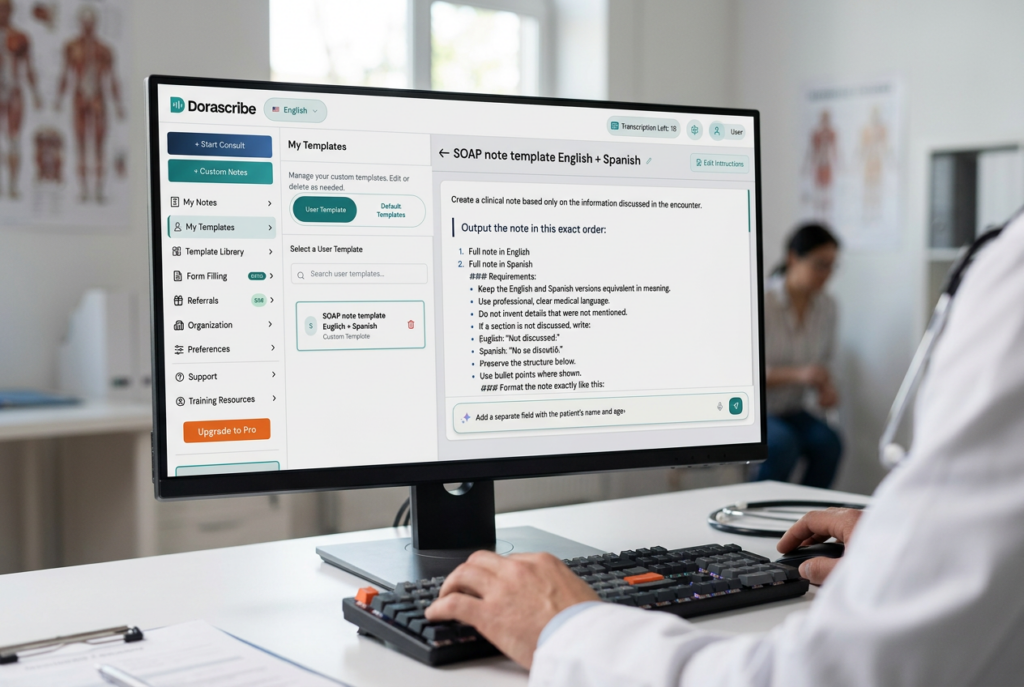
Passo 3: Utilize o modelo em uma nova consulta.
Ao criar um novo consult Após inserir os dados do paciente, selecione seu modelo personalizado antes de gerar o rascunho da nota.
Etapa 4: Gerenciar modelos posteriormente
Acesse Notas personalizadas → Biblioteca de modelos para personalizar or delete templates.
O que inclui um modelo de alto desempenho
1) Títulos estáveis
Utilize seções consistentes para que a revisão se torne mais rápida com o tempo (por exemplo: HPI/Histórico Intervalar, Objetivo/Exame, Avaliação, Plano, Acompanhamento).
2) Instruções de captura obrigatória
Adicione avisos apenas onde as omissões forem comuns:
- Principais pontos negativos/sinais de alerta (específicos para cada tipo de visita)
- Alterações na medicação + justificativa
- Intervalo de acompanhamento + instruções
3) Um ponto de verificação de revisão
Indique um local na anotação onde você sempre verifica:
- medicamentos e doses
- principais pontos negativos
- planejamento e acompanhamento

Modelos iniciais (exemplos que os médicos realmente usam)
Acompanhamento (alto volume)
- O que mudou desde a última consulta (sintomas + função)?
- Resposta/adesão + efeitos colaterais (se relevantes)
- alterações no plano + intervalo de acompanhamento
Cuidados crônicos
- Medidas-alvo (PA/A1c/exames laboratoriais, quando relevantes)
- lembrete de reconciliação de medicamentos
- plano de monitoramento e acompanhamento
Acompanhamento por telemedicina
- Contexto do falante (paciente vs cuidador/intérprete)
- O que foi observado versus o que foi relatado
- Próximos passos explícitos e conselhos de segurança
Se o atendimento remoto representa uma parte significativa da sua carga de trabalho: Assistentes de IA para atendimento remoto de pacientes.
Dois erros comuns que fazem você perder tempo.
- Criar modelos muito longos → Rascunhos longos demoram mais para serem verificados. Mantenha os modelos concisos.
- Modelos que mudam toda semana → Os médicos perdem velocidade quando a estrutura continua se movendo. Versão mensal, não diária.
A vantagem é que algumas clínicas padronizam seus processos.
- Fluxos de trabalho multilíngues Quando a documentação for verdadeiramente bilíngue em seu contexto: IA para transcrição médica multilíngue em 2026
- Rascunhos de cartas clínicas Informações do contexto da consulta (encaminhamentos, trabalho/escola, seguro, cartas relacionadas a medicamentos) para revisão/assinatura do médico.
Perguntas frequentes
Devo usar um único modelo para tudo? Geralmente não. Os modelos de consulta são mais curtos e mais rápidos de revisar.
Importar é melhor do que modificar um valor padrão? Importe se você já tiver um modelo aprovado pela clínica. Modifique um modelo base se desejar maior rapidez.
Os modelos reduzirão a criação de gráficos fora do horário de expediente? Muitas vezes sim — se o rascunho for criado perto da data da visita e seu hábito de revisão for consistente.
Evidências e fontes (selecionadas)
- Tempo do médico e sobrecarga de documentação no prontuário eletrônico (estudo de tempo e movimento): https://pubmed.ncbi.nlm.nih.gov/27595430/
- Carga de trabalho na atenção primária e trabalho com prontuário eletrônico fora do horário comercial (análise de registro de eventos): https://www.annfammed.org/content/15/5/419.short